
Appearance
9. Handover, settlement, close-out and reports
Back to the case study · Previous: 8. Invoicing and revenue
The villa was handed over on 15 September. This chapter shows how the job was closed properly, so that nothing can post to it by mistake next year, and what management reads afterwards.
9.1 Handover documents
Two documents were filed on the Documents tab and ticked Client sees: the snag list at handover (12 September) and the care guide, warranties and as-built drawings (15 September). The family found them on their page the same day (chapter 5).
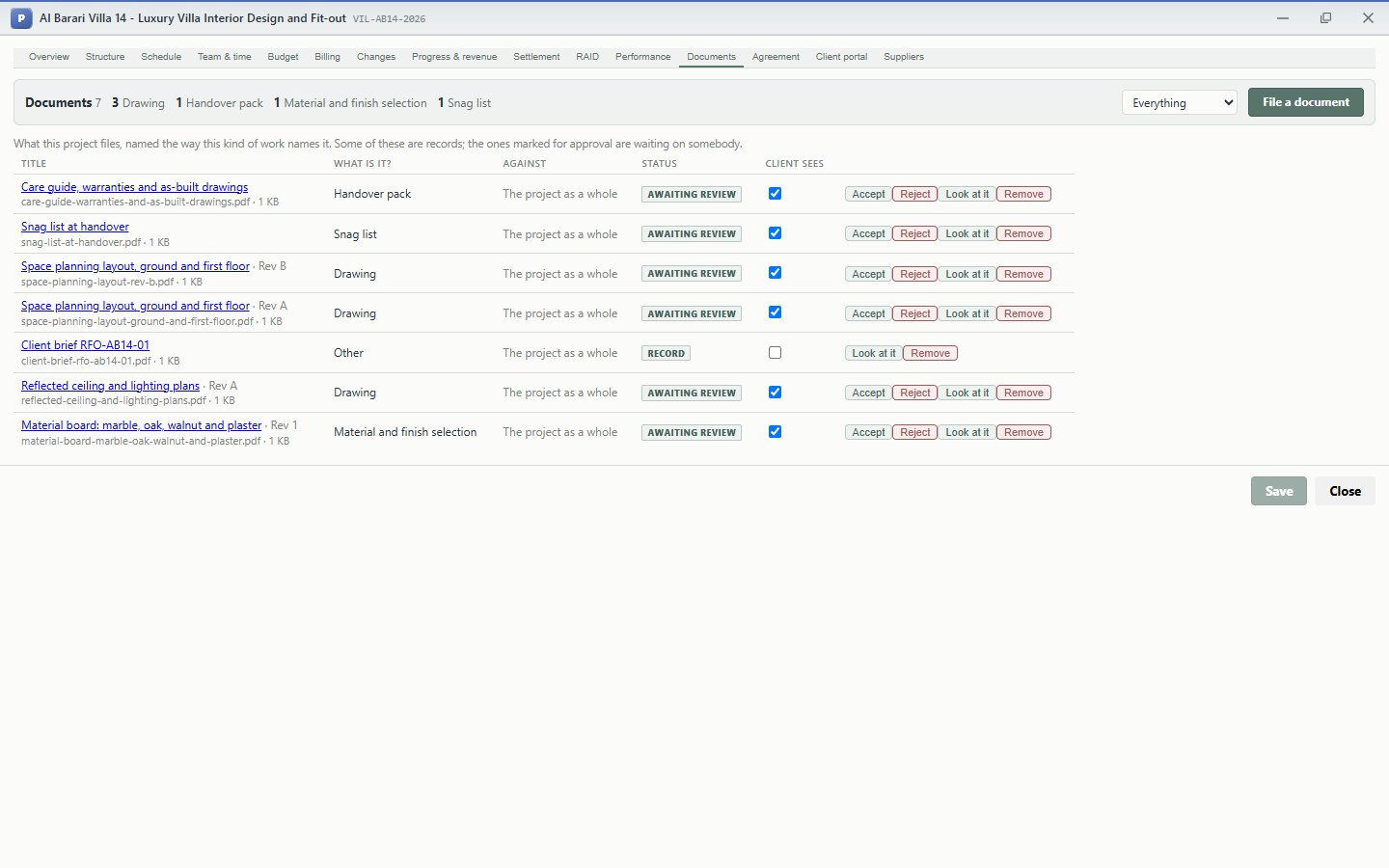
The header counts documents by kind (3 Drawing, 1 Handover pack, 1 Material and finish selection, 1 Snag list). The Everything filter can narrow the list to one kind or to documents still awaiting review.
9.2 Technically complete
On the Overview tab, Move to Technically complete says the work is finished. The project still accepts cost: September's last subcontractor bills, a late snag repair. It no longer accepts new commitments (orders).
9.3 Settlement (Settlement tab)
While the work is in progress, cost collects on the project. Settlement moves it to where it finally belongs. For an interior design and fit-out job, a job billed to a client, that is cost of sales, as set by the project type. A capital job (for example the company fitting out its own office) would settle onto the balance sheet instead.
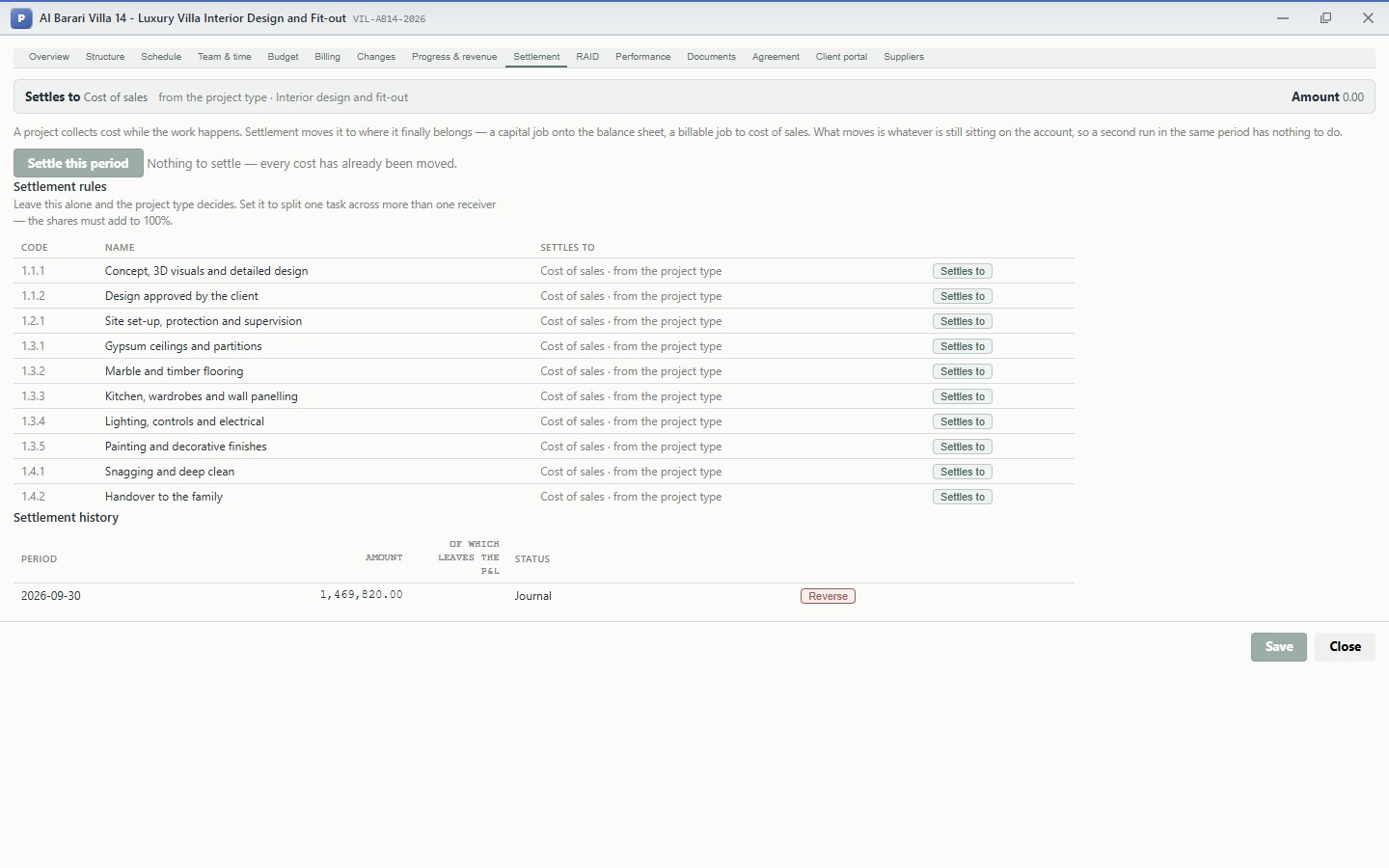
- Settles to: the receiver, taken from the project type unless a task has its own rule under Settlement rules. A task can be split across several receivers, with shares that must add up to exactly 100%.
- Settle this period moves whatever is still sitting on the project. A second run in the same period has nothing to do.
- Settlement history lists every run with its journal. Reverse undoes a run, for example if a late bill arrives after settlement.
On 30 September the whole cost, AED 1,469,820, was settled to cost of sales.
9.4 Close the project
Move to Closed. A closed project accepts nothing: no cost, no time, no orders, no invoices. A finished job cannot quietly absorb next year's spending.
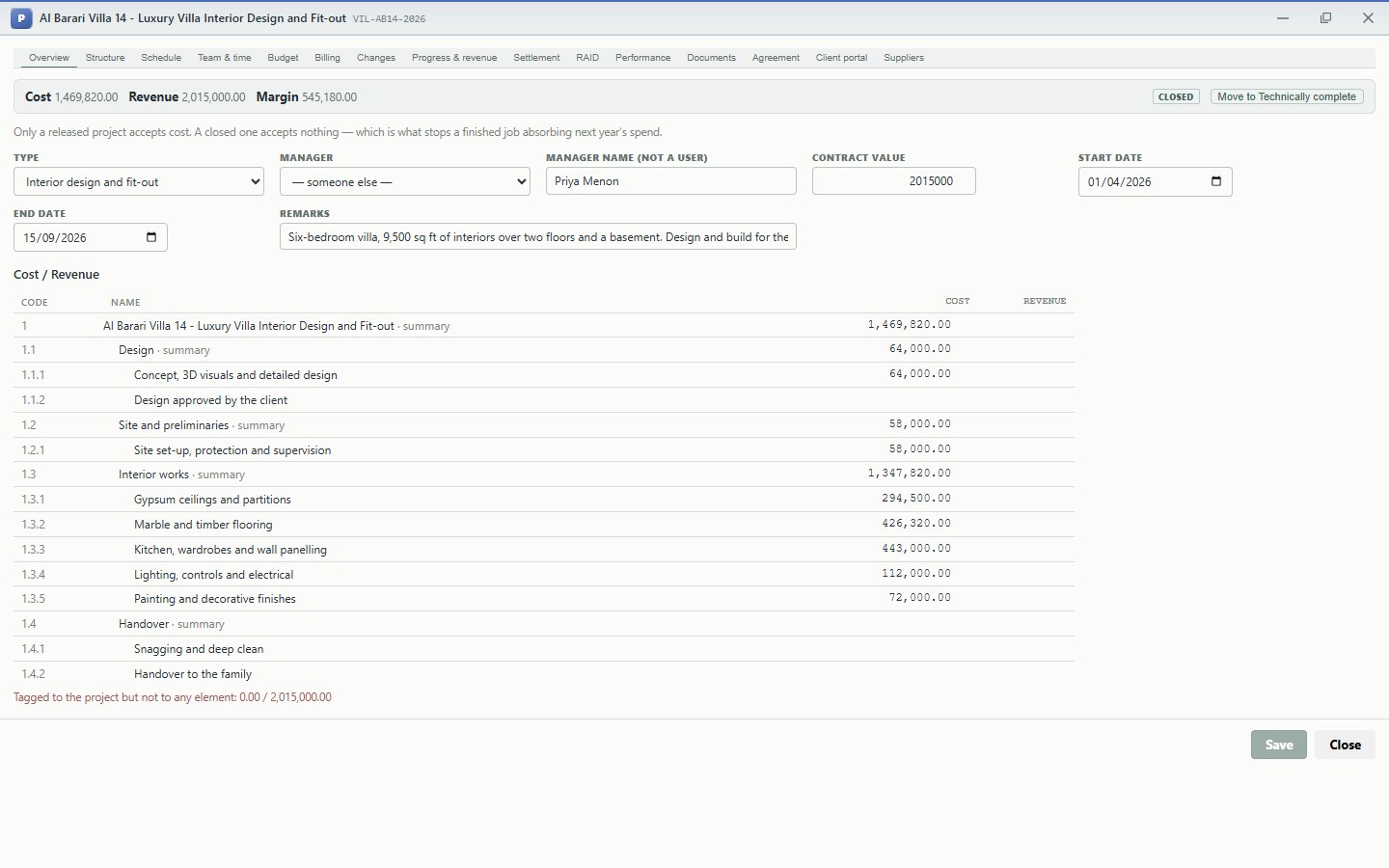
The top of the Overview tab is the job's final result:
Cost 1,469,820.00 · Revenue 2,015,000.00 · Margin 545,180.00
The Cost / Revenue table below shows where every dirham went, task by task. The family's portal stays open after closing: Sara can still read the updates, open the care guide and see her invoices. Subcontractors can see their account and their retention, but cannot make new claims.
9.5 The reports management reads (Projects > Reports)
Eight standard reports cover every project in the company. Each has a Project filter, export buttons (copy, Excel, CSV, print, PDF) and drill-down: click a project, a document or a partner to open it.
Cards and table
On the reports with a Project filter, the cards along the top always total the whole company. The table follows the filter. The screenshots below are filtered to the villa, so the cards include the company's other job.
Project portfolio: contract, budget, cost, revenue, margin and progress of every project, with margin by project:
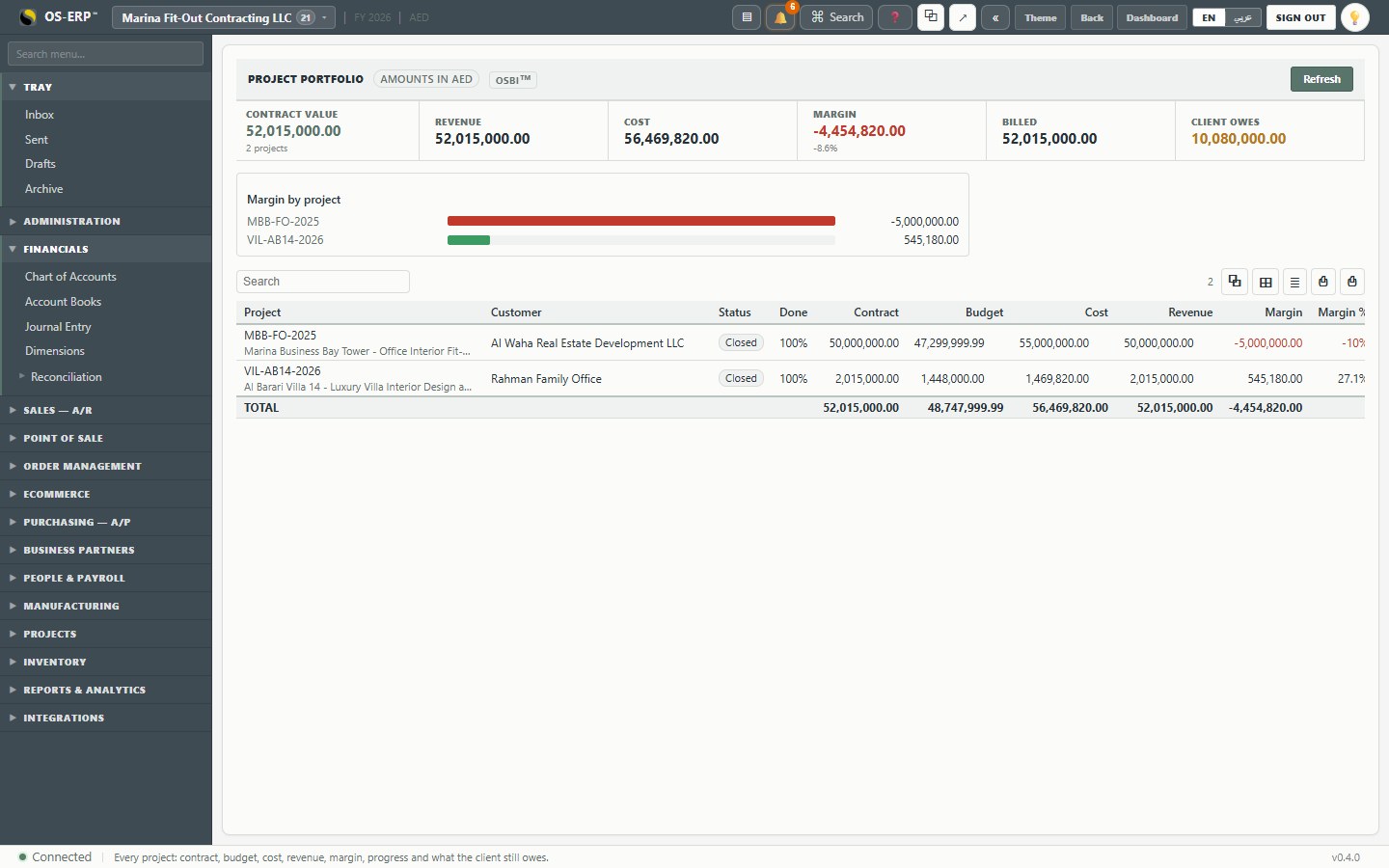
The company's previous job (an office tower fit-out, 50M AED) closed at a 10% loss, which had been foreseen and provided for halfway through. The villa, run with the controls in this case study, closed at 27.1%. The portfolio is where a director sees which kind of work makes money.
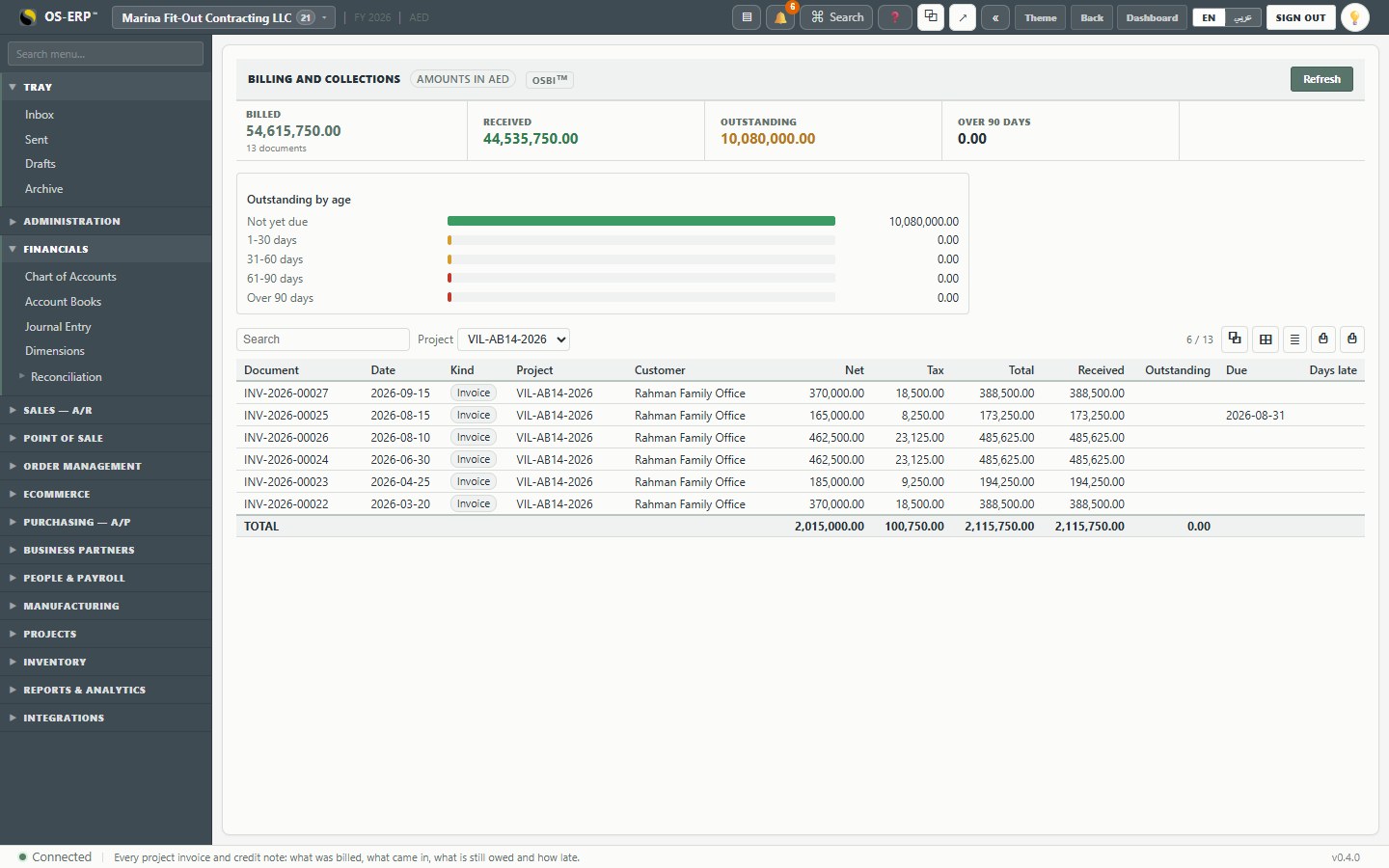
Billing and collections: every project invoice, received, outstanding and how late (chapter 8):
Retention register: retention held by clients (to collect after the defects period) and from suppliers (to pay), by project and party:
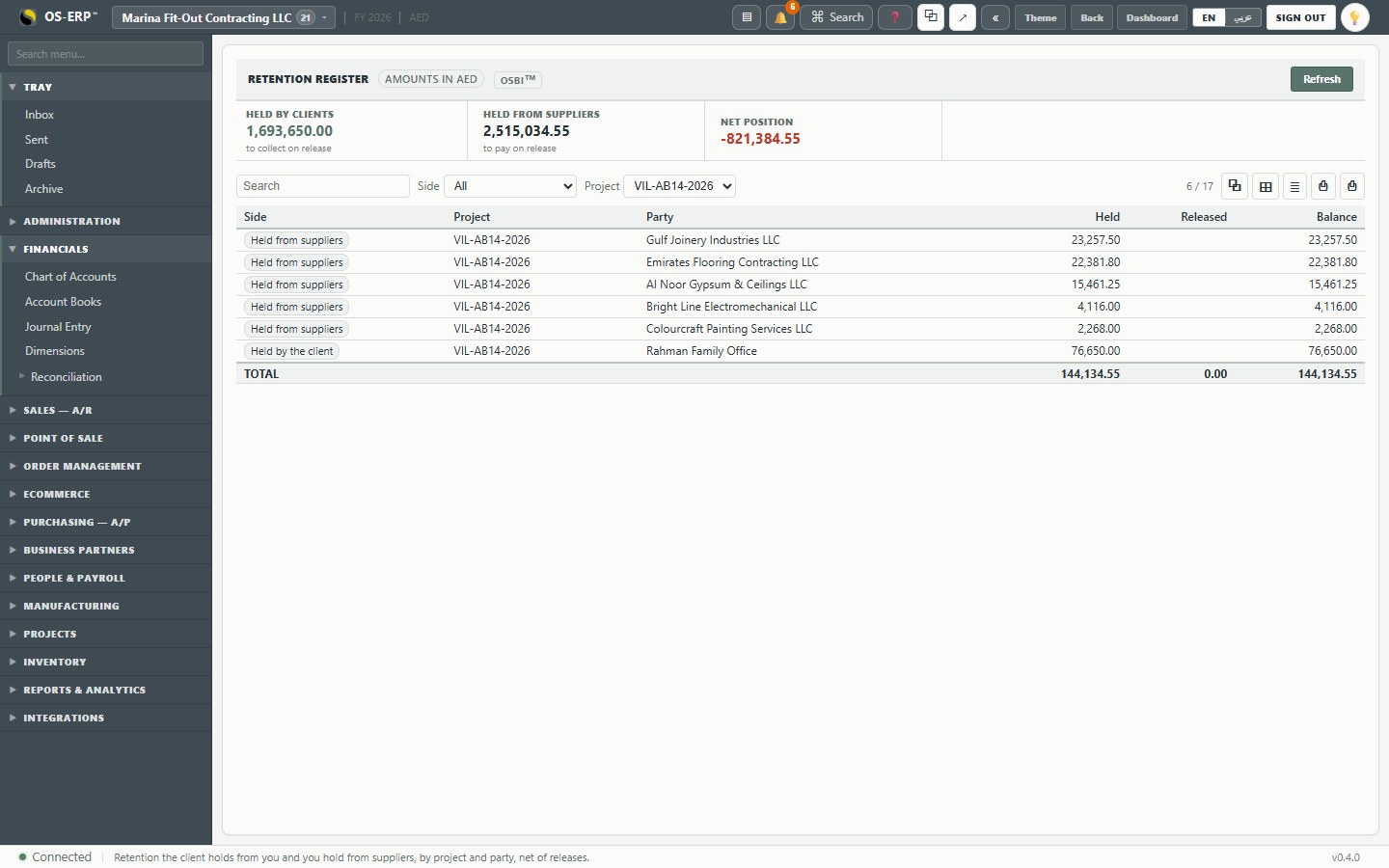
For the villa: the family holds 76,650 (73,000 plus VAT) of the company's money, and the company holds 67,484.55 of its subcontractors'. The two largely offset, so a defect claim at month eight is funded by the subcontractor responsible, not by the company.
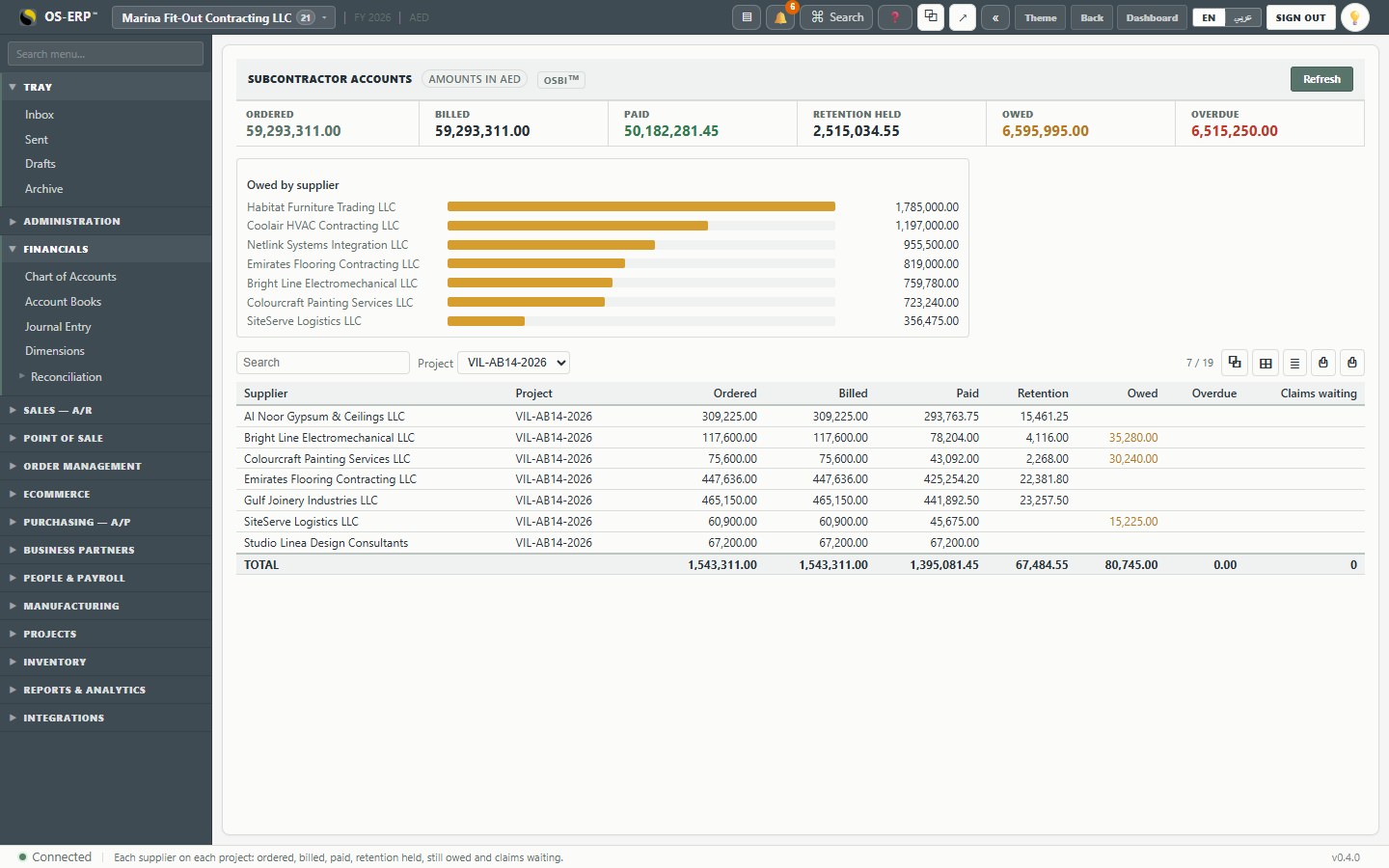
Subcontractor accounts: ordered, billed, paid, retention, owed and overdue per supplier per project (chapter 6):
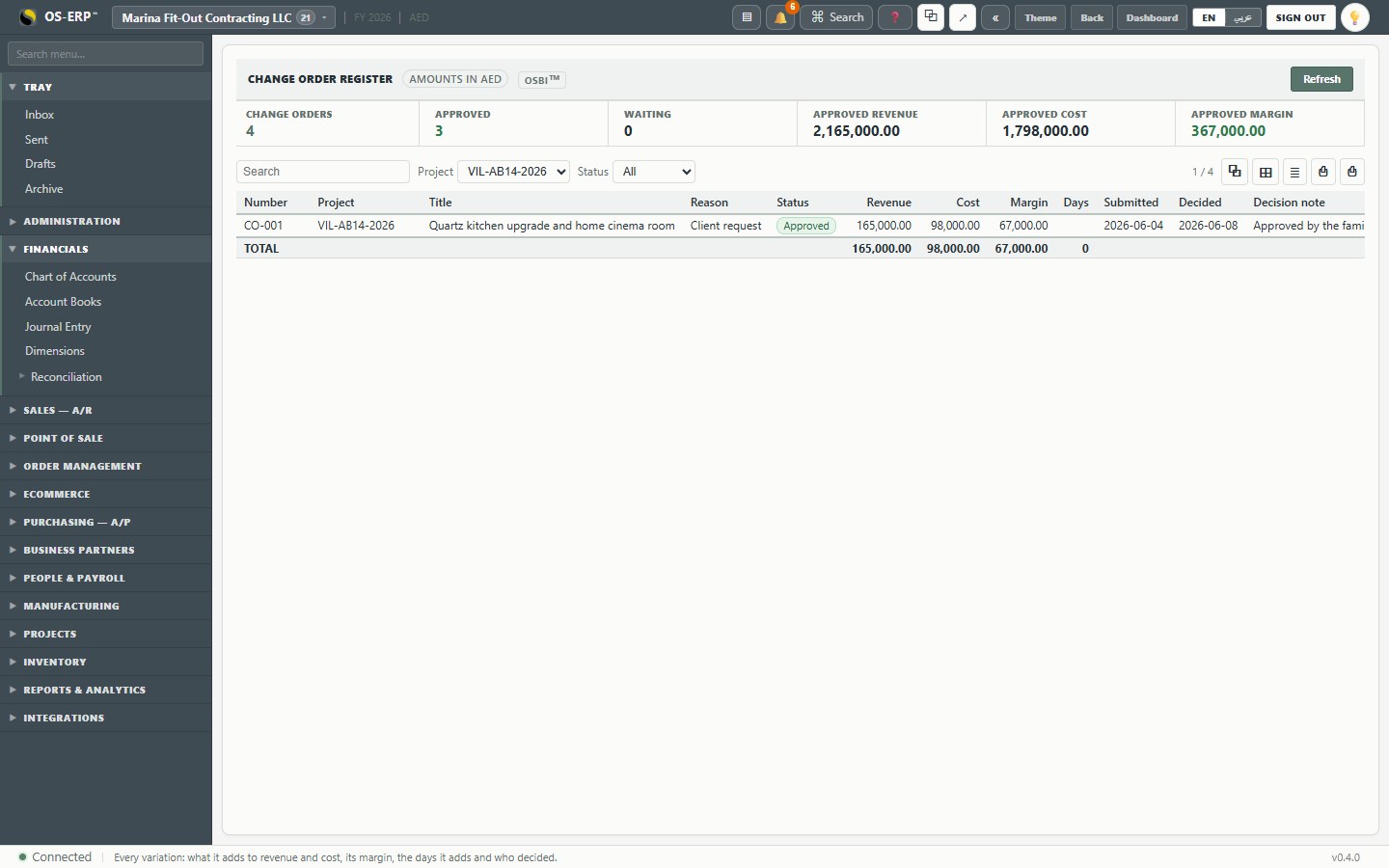
Change order register: every variation with its revenue, cost, margin, days and decision (chapter 7):
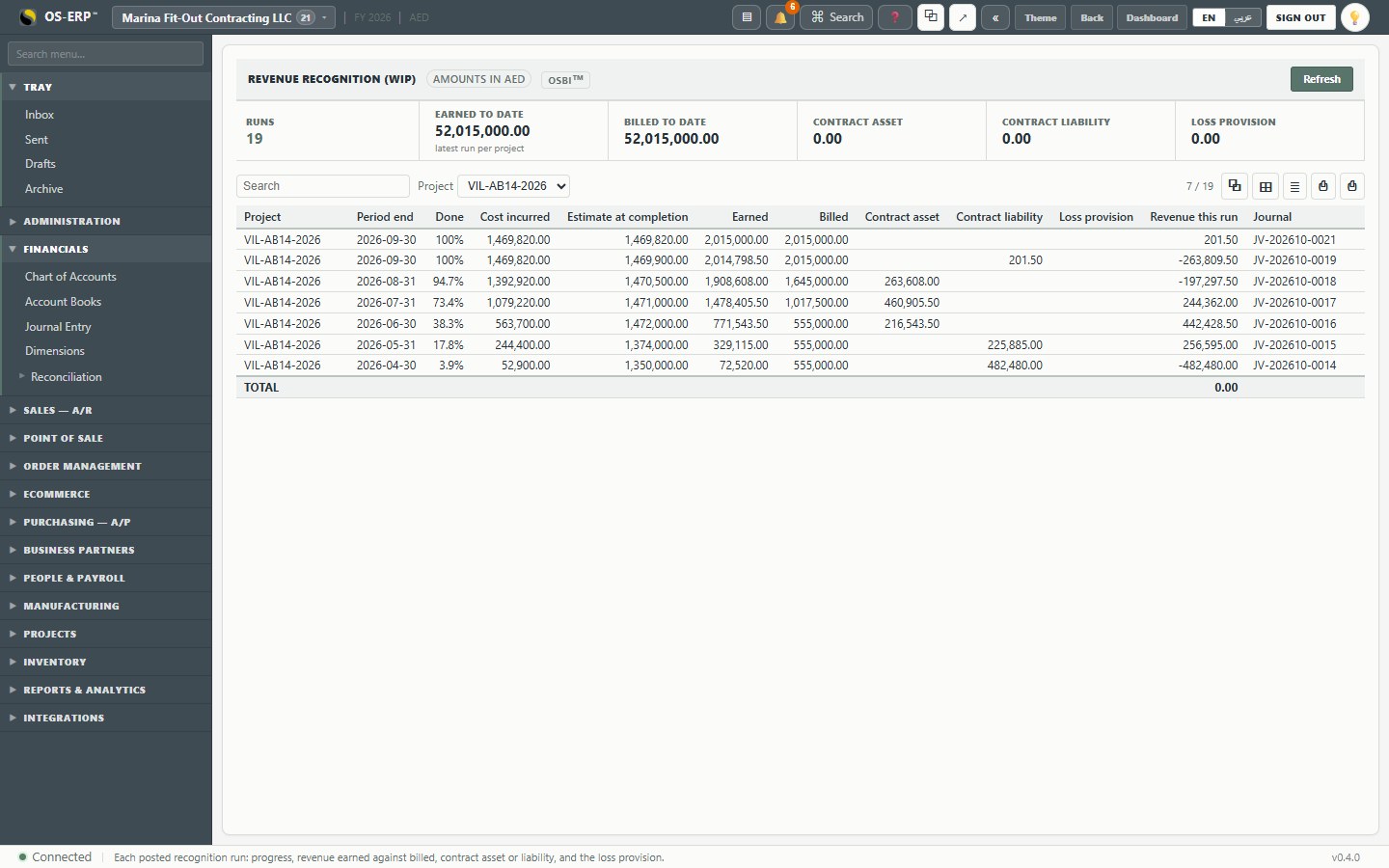
Revenue recognition (WIP): every month's progress, earned and billed, contract asset and liability, and the journal (chapter 8):
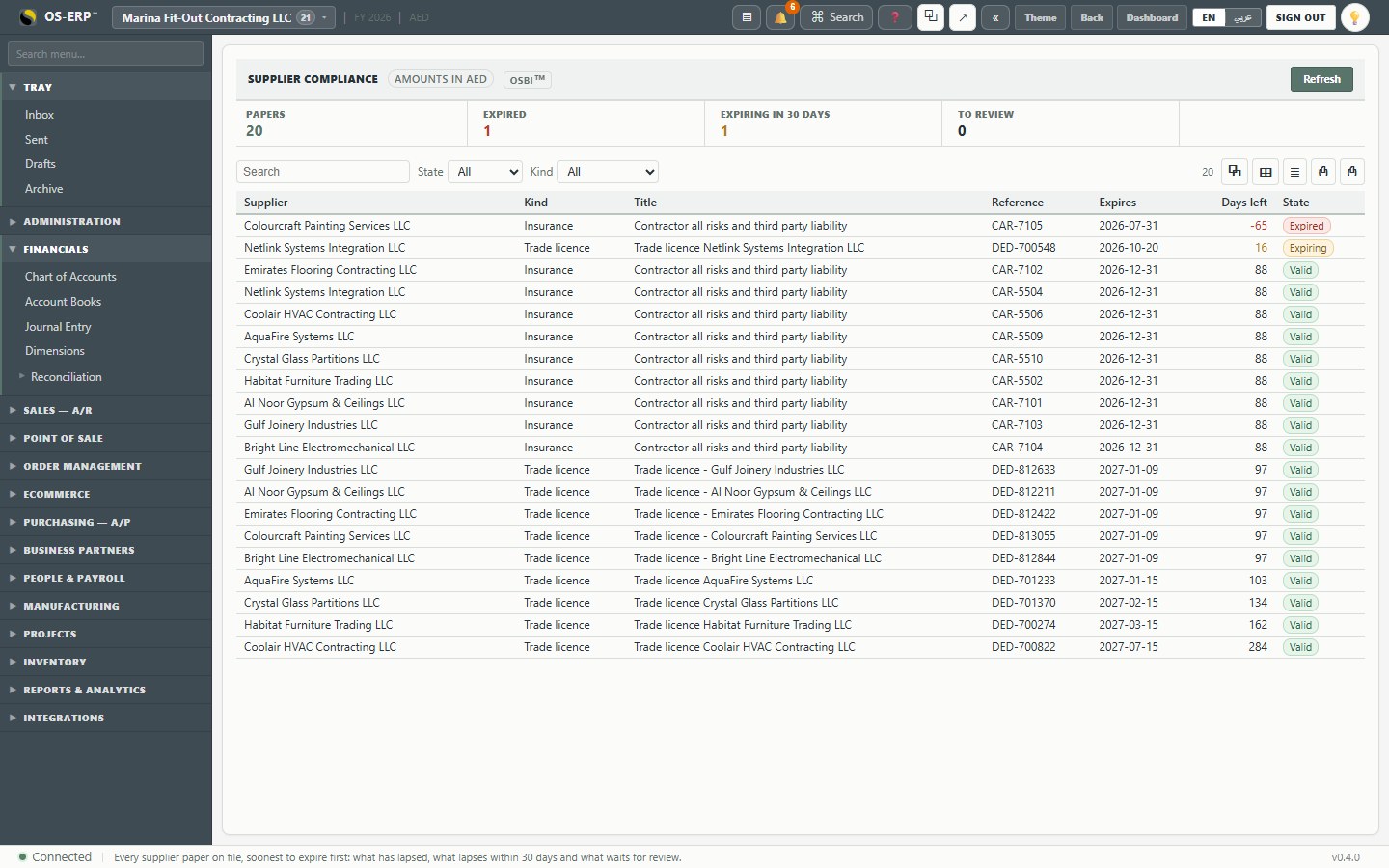
Supplier compliance: every paper on file, soonest to expire first. Here: Colourcraft's insurance expired 65 days ago, and another trade's licence expires in 16 days:
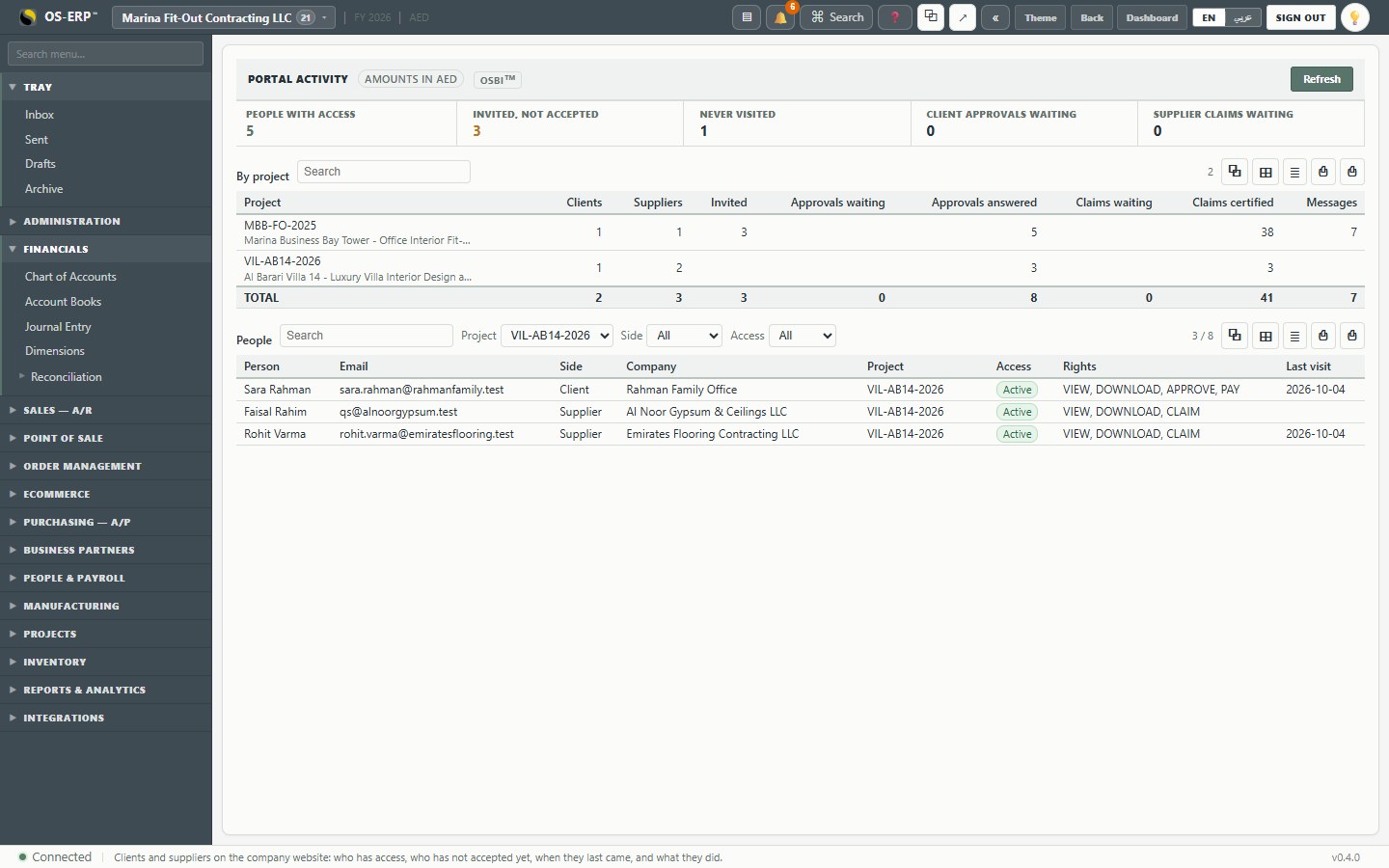
Portal activity: who has access on the client and supplier side, who never accepted their invitation, approvals and claims waiting, and when each person last came:
What this chapter means for the business
- The job is closed in the books, not just on site. Cost of sales, revenue and margin are final, and nothing more can be posted to it.
- Retention is tracked on both sides until it is released, so the company neither forgets to collect its own nor pays out the subcontractors' too early.
- Directors read the whole company on eight reports, and can see which jobs and which kinds of work make money.