
Appearance
5. Design approval and keeping the client informed
Back to the case study · Previous: 4. Budget and subcontract orders
Rework is the most expensive thing on an interior project: a wall built where the client did not want it, joinery made to a layout the family never really approved. This chapter shows how the company got clear, recorded decisions on its drawings, and how it kept the family informed for five months without a single "where are we?" phone call.
5.1 Put a drawing to the client (Client portal tab)
On 6 April, Priya put the space planning layout (Rev A) to the family. On the Client portal tab, under Client approvals:
- What: Drawing / document.
- Which: the layout drawing. Only documents ticked Client sees can be chosen.
- Answer by: optional deadline.
- Message to the client: Please review the space planning layout (Rev A) before we start detailed design.
- Send to the client.
Three kinds of thing can be put to the client this way:
| What | What the client's answer does |
|---|---|
| Milestone | A milestone the client approves becomes ready to invoice on the Billing tab. |
| Variation | A change order the client approves can then be approved on the Changes tab. The client confirms it with an emailed code, because it changes the price (chapter 7). |
| Drawing / document | The client approves the document or rejects it with a reason. The answer is recorded against that exact revision. |
5.2 The client rejects Rev A, with a reason
Sara saw Needs your answer on her project page. She opened the drawing, chose Reject, and wrote why. A rejection always needs a reason, so the designer knows exactly what to change.
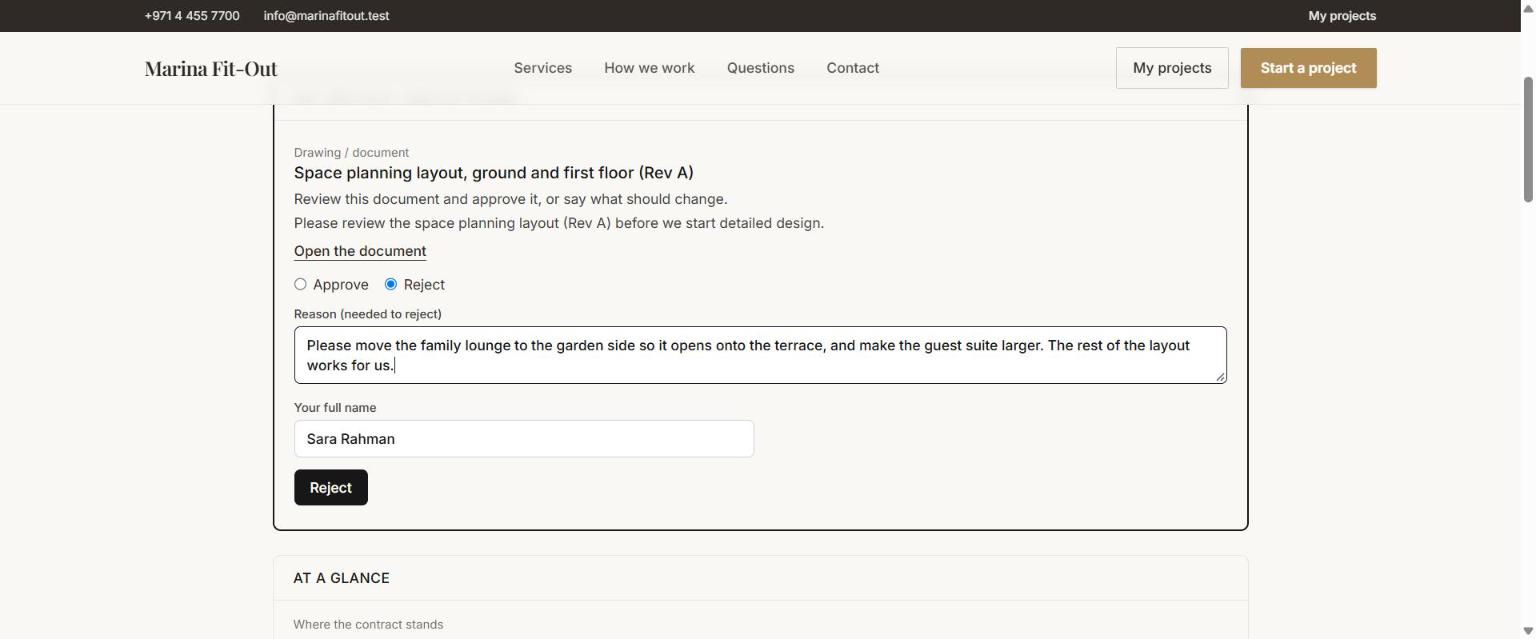
Please move the family lounge to the garden side so it opens onto the terrace, and make the guest suite larger. The rest of the layout works for us.
The company received the answer by email at once, and saw it on the Client portal tab.
5.3 Rev B, approved
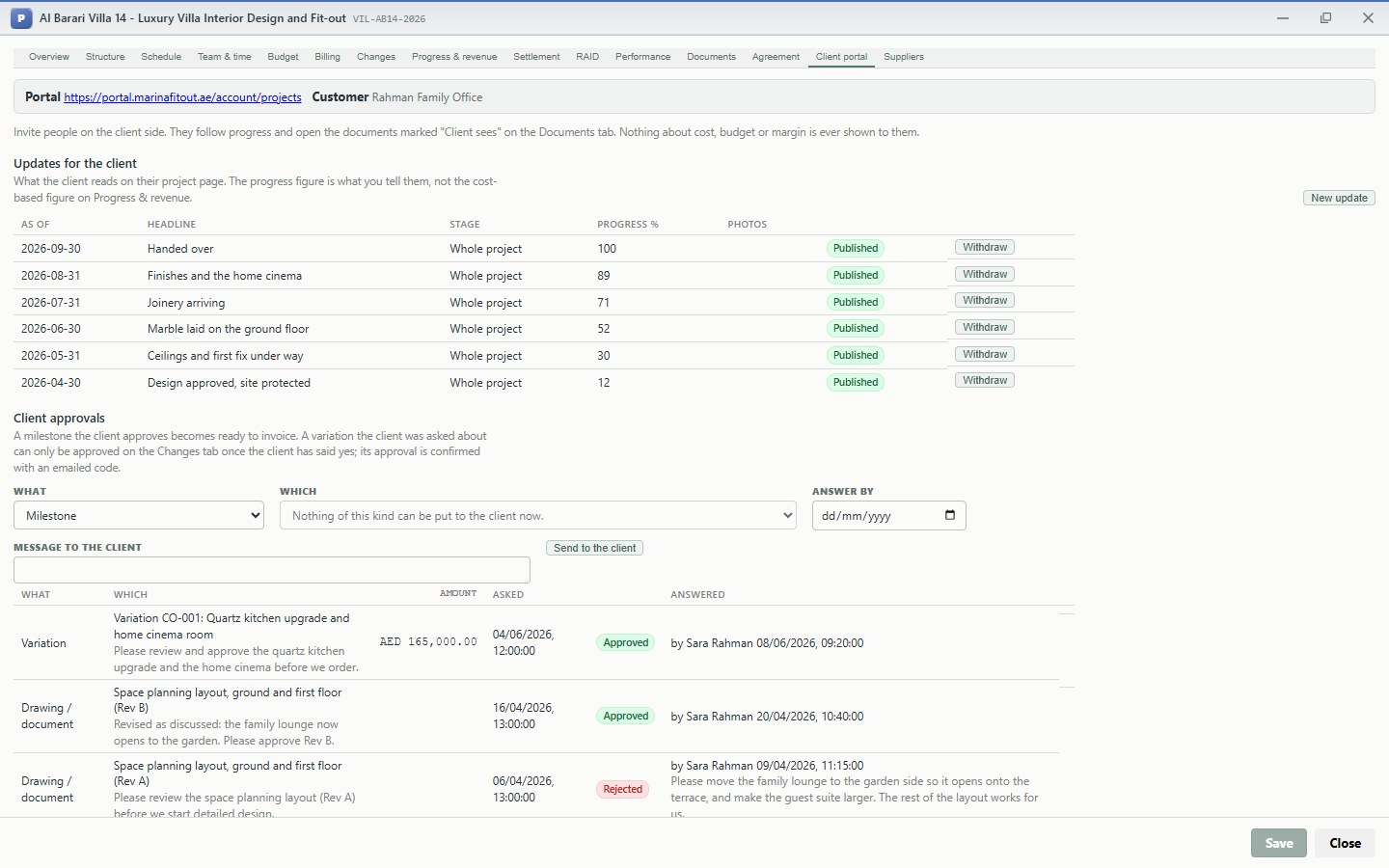
Elena revised the layout. Priya filed Rev B on the Documents tab, ticked Client sees, and put it to the family on 16 April: Revised as discussed: the family lounge now opens to the garden. Please approve Rev B. Sara approved it on 20 April.
The Client portal tab keeps the whole history: what was asked, when, the answer, who gave it and when, and the reason for a rejection.
Why this saves money
The family's change of mind (the lounge on the garden side) cost a revision of one drawing in April. Had it surfaced on site in June, after the partitions were up and the marble cut, it would have cost demolition, new materials and weeks of programme. A written, dated rejection with a reason, before detailed design, is the cheapest change a project will ever have. And because the family approved Rev B in writing, the layout cannot later be disputed.
The design approval also unlocked the second instalment: Design approval (10%) was invoiced on 25 April and paid on 10 May (chapter 8).
5.4 Publish a progress update every month
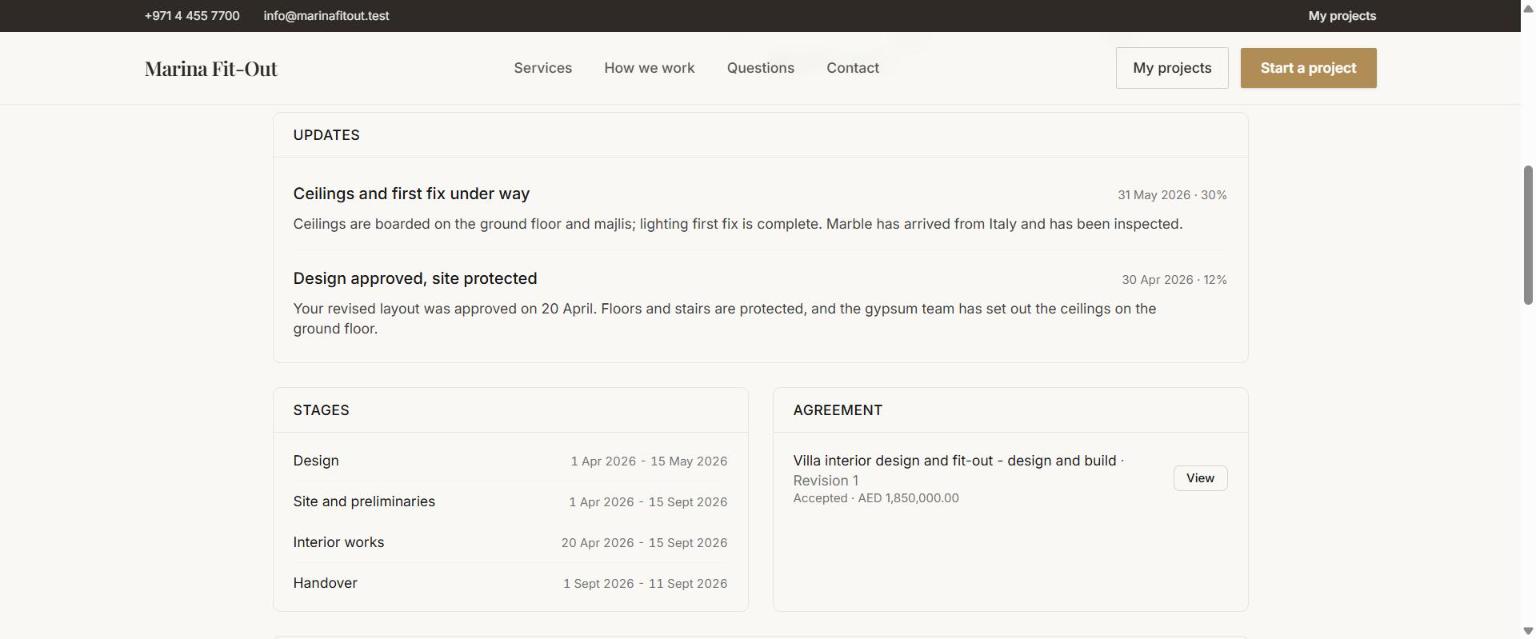
At the end of each month Priya chose New update on the Client portal tab: a headline, a short note in plain language, the date it describes, a progress figure for the client, and optional photos. Publish puts it on the family's page.
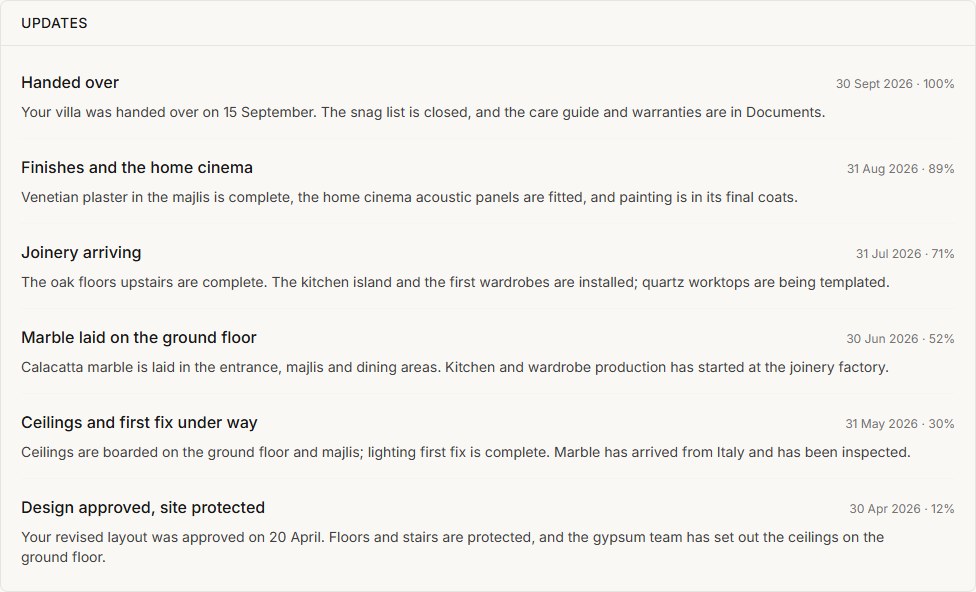
| As of | Headline | Client progress |
|---|---|---|
| 30 Apr | Design approved, site protected | 12% |
| 31 May | Ceilings and first fix under way | 30% |
| 30 Jun | Marble laid on the ground floor | 52% |
| 31 Jul | Joinery arriving | 71% |
| 31 Aug | Finishes and the home cinema | 89% |
| 30 Sep | Handed over | 100% |
Two different progress figures
The progress figure in an update is what you tell the client: your judgement of the work, in their terms. The percentage complete on the Progress & revenue tab is the accounting figure (cost incurred divided by forecast cost), used to recognise revenue (chapter 8). They are kept apart on purpose, so a client never sees cost-based figures and the accounts never depend on a figure typed for a client.
5.5 What the family sees
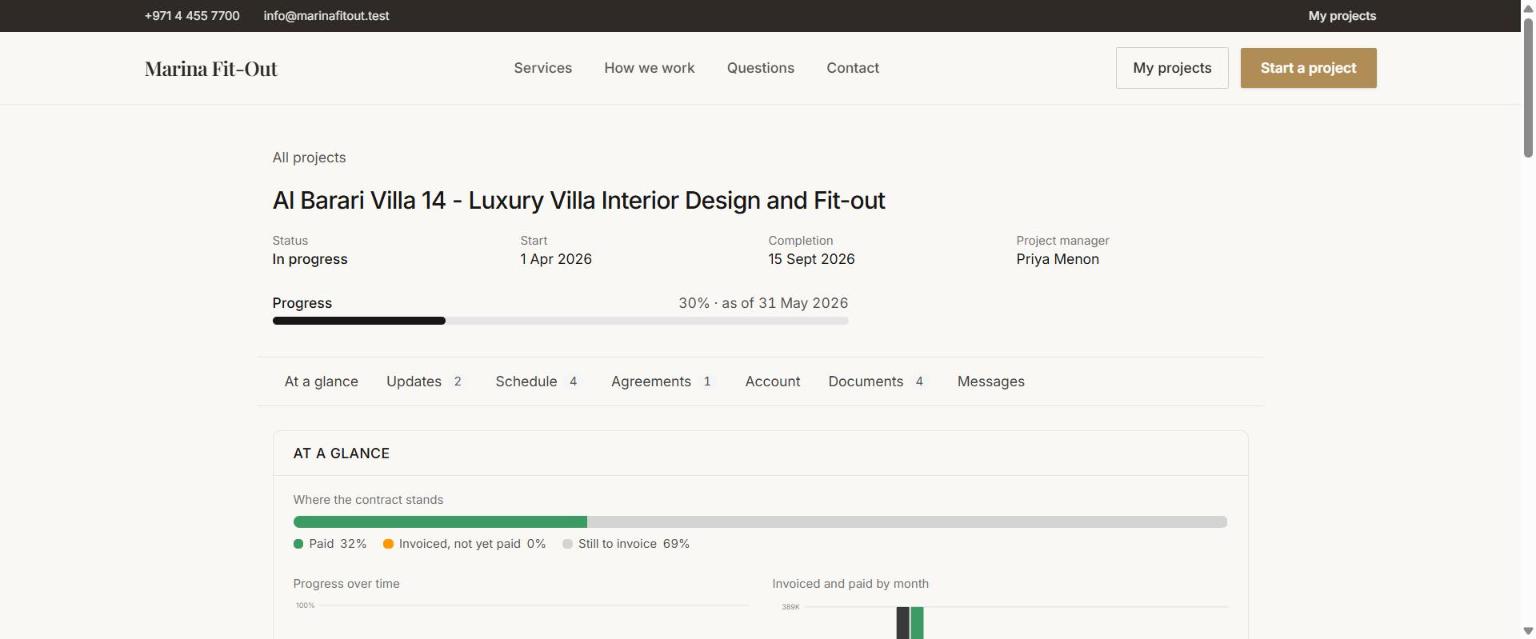
The top of the family's project page shows the status, the dates, the project manager and the latest progress:
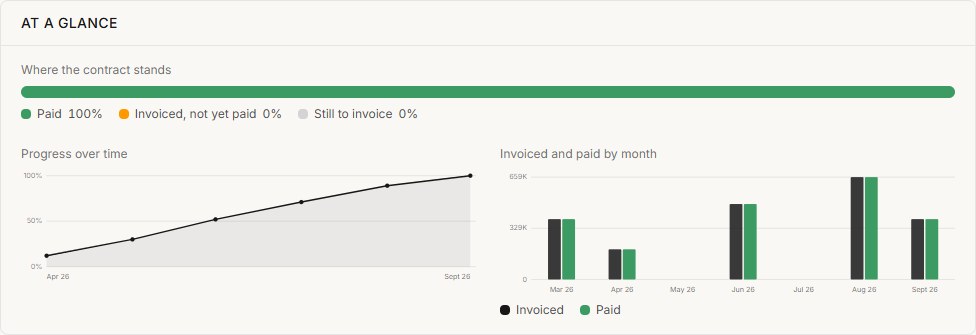
At a glance shows where the contract stands (paid, invoiced and not yet paid, still to invoice), progress over time, and what was invoiced and paid each month:
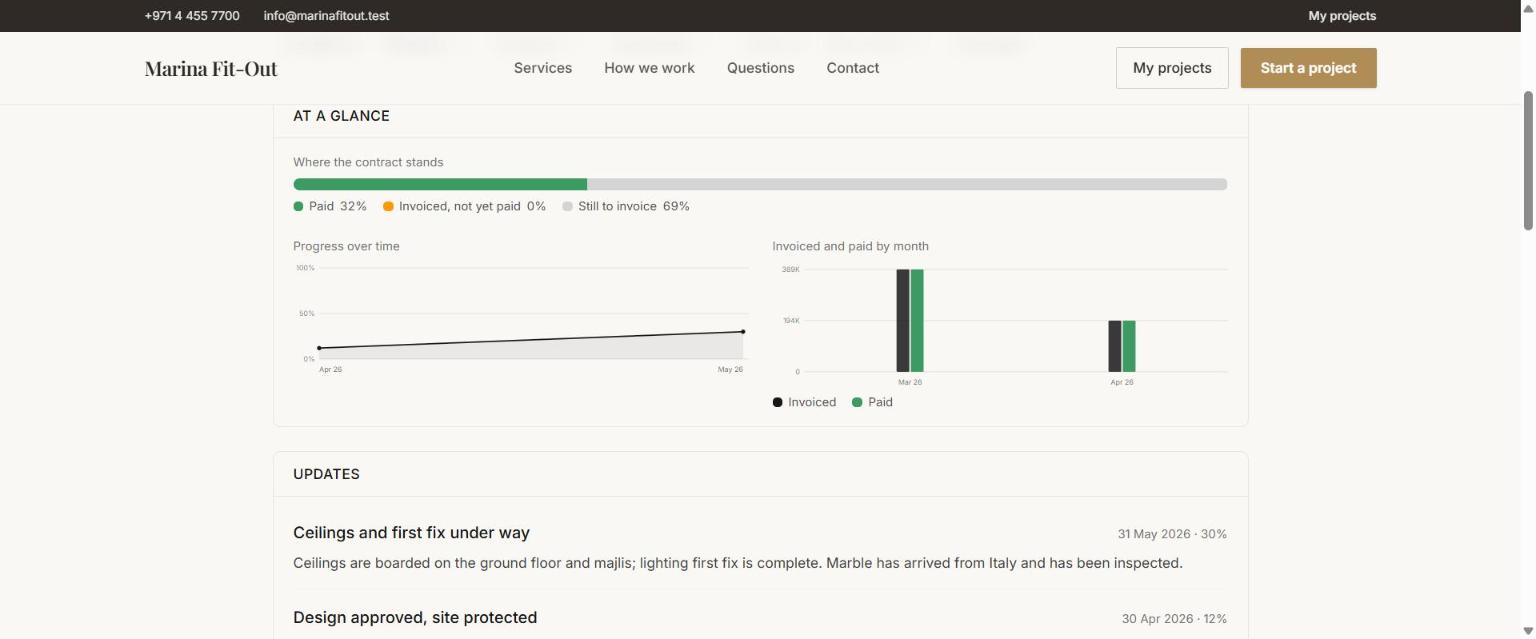
Updates lists every published update, newest first:
At handover the same page shows the job complete and fully paid:
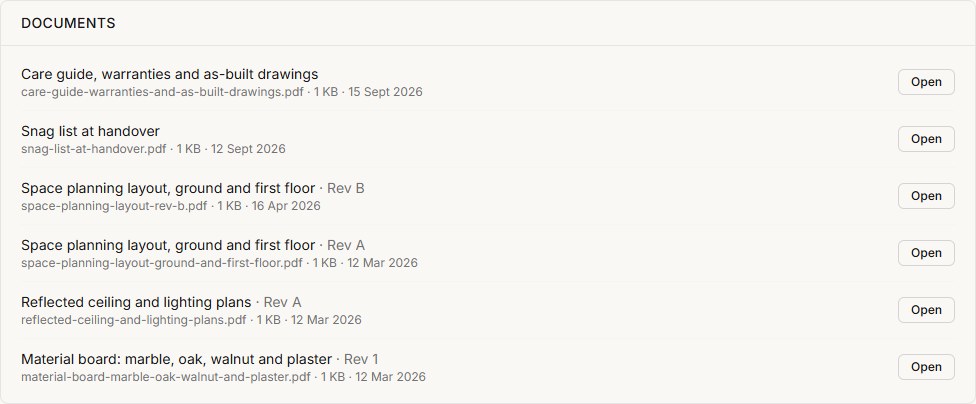
Documents lists only what was ticked Client sees: both revisions of the layout, the ceiling plans, the material board, and at handover the snag list and the care guide with warranties and as-built drawings. Each opens through a short-lived, signed link.
5.6 The conversation
Messages is a conversation between the family and the company, kept on the project instead of scattered across phones. Messages from the company show the company name and the person who wrote them.
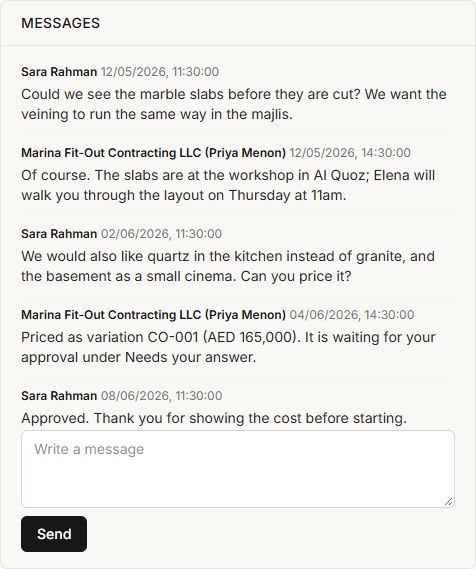
Two of these messages matter commercially. On 2 June the family asked for a quartz kitchen and a home cinema, and on 4 June the company replied with a price and pointed them to the approval. That request is the variation in chapter 7. Because it was asked and answered in writing, nobody later has to remember who said what on site.
What this chapter means for the business
- Decisions are recorded against the exact drawing revision, with the person, the time and the reason. Rework from misunderstood layouts is designed out.
- Milestones become billable when the client approves them, so approval and invoicing move together.
- The family never had to ask where things stood. Updates, documents, invoices and messages were on their page, under the company's own name. That is a better client experience, and fewer hours of the project manager's time spent on calls.