
Appearance
3. Planning: what to cook and buy, and when
Back to the case study · Previous: 2. Items and recipes · Next: 4. The night shift
Before OSERP, planning at Spice Republic was a spreadsheet: last week's indents copied forward, multiplied by the recipes by hand, and a phone call to the poultry farm at 7 pm. When the spreadsheet was wrong, the night shift ran out of chicken at 3 am, or 60 kg of cream went into the bin on Friday.
Manufacturing > Material Planning replaces the spreadsheet. It looks at what outlets will need, what is in stock, what is already ordered and being made, every recipe level and every lead time, and says what to make and buy, how much, and by when. Nothing changes until a person converts a planned order.
3.1 The planning defaults
The Runs tab holds the company's defaults (the Central kitchen pack set most of them):
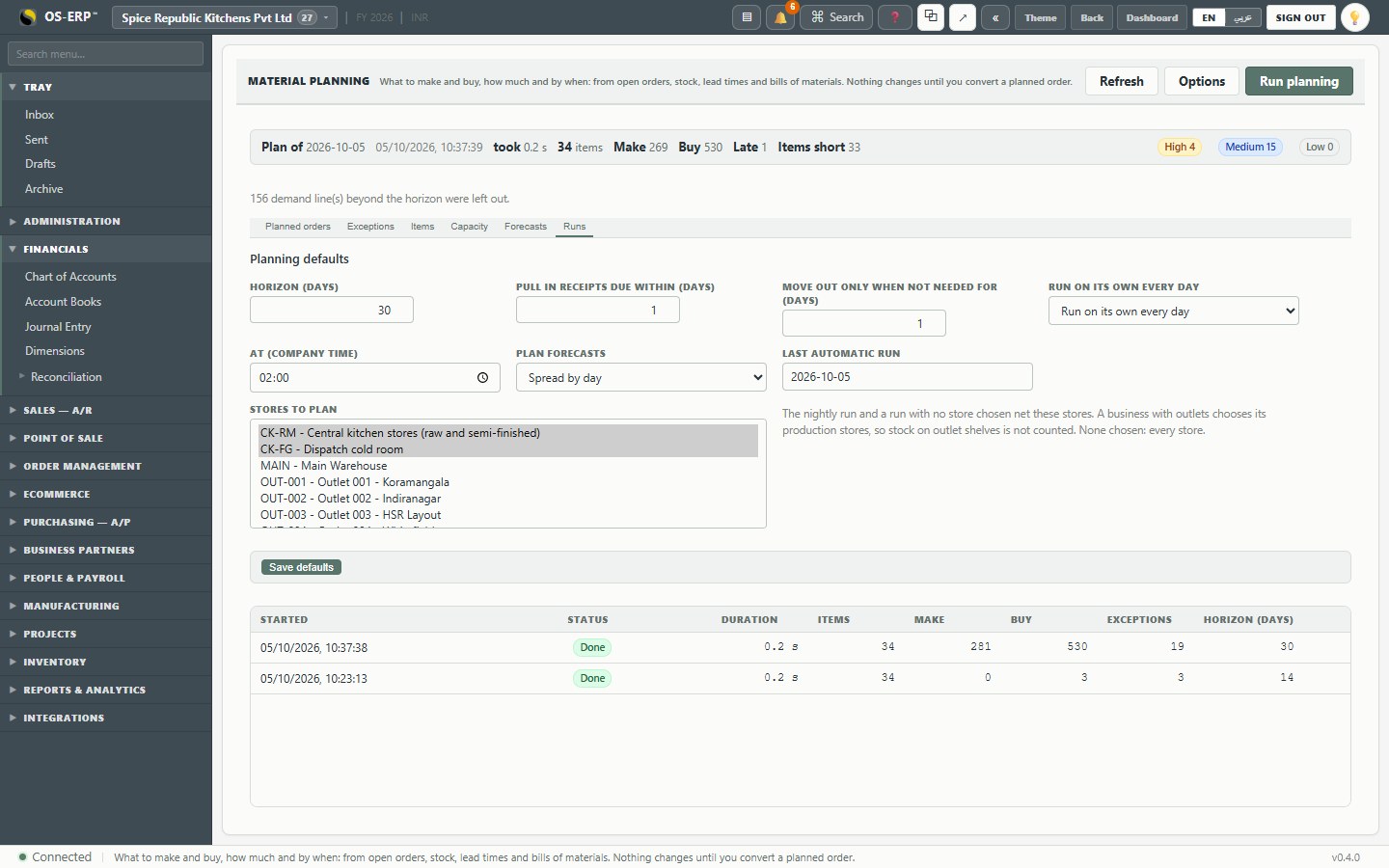
| Setting | Value | Why |
|---|---|---|
| Horizon | 30 days | Food is bought days ahead, not months |
| Pull in receipts due within | 1 day | An order due tomorrow is pulled in rather than a new one raised |
| Move out only when not needed for | 1 day | Don't reshuffle the night shift for a day's slack |
| Run on its own every day | at 02:00 | The plan is fresh when the planner arrives |
| Plan forecasts | Spread by day | A month's forecast becomes 30 daily demands, not one lump on the 1st |
| Stores to plan | CK-RM, CK-FG, QC-HOLD | See below |
Why "stores to plan" matters for a business with outlets
The 100 outlets hold stock too: a few tubs of gravy each, a few thousand altogether. If planning counted those, it would think the kitchen had days of makhani gravy in hand, and the night shift would cook nothing. That stock is on outlet shelves, already promised to customers there. Stores to plan tells planning to look only at the central kitchen's own stores. The nightly run, and any run started without a choice of stores, uses them.
3.2 What the outlets will need: forecasts
Outlets send indents every morning, but planning has to look further ahead than tomorrow. Forecasts carries the expected demand per pack:
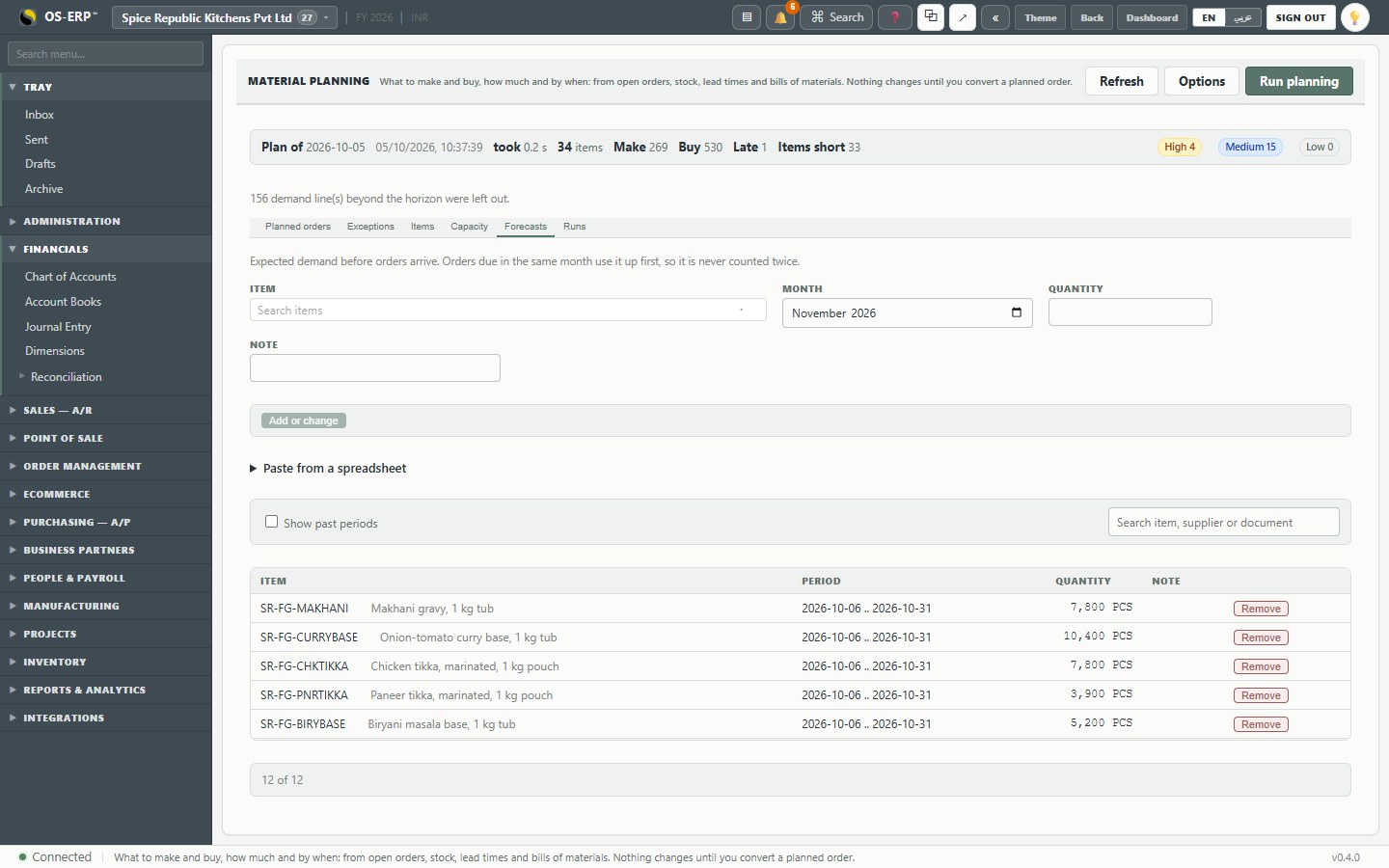
Kavya enters (or pastes from a spreadsheet) two figures per pack: the rest of the current month, and next month a little busier. With Spread by day, 9,000 tubs for a 30-day month becomes 300 tubs a day. Real orders inside a forecast's period consume it first, so an order and a forecast for the same day are not counted twice.
3.3 The planned orders
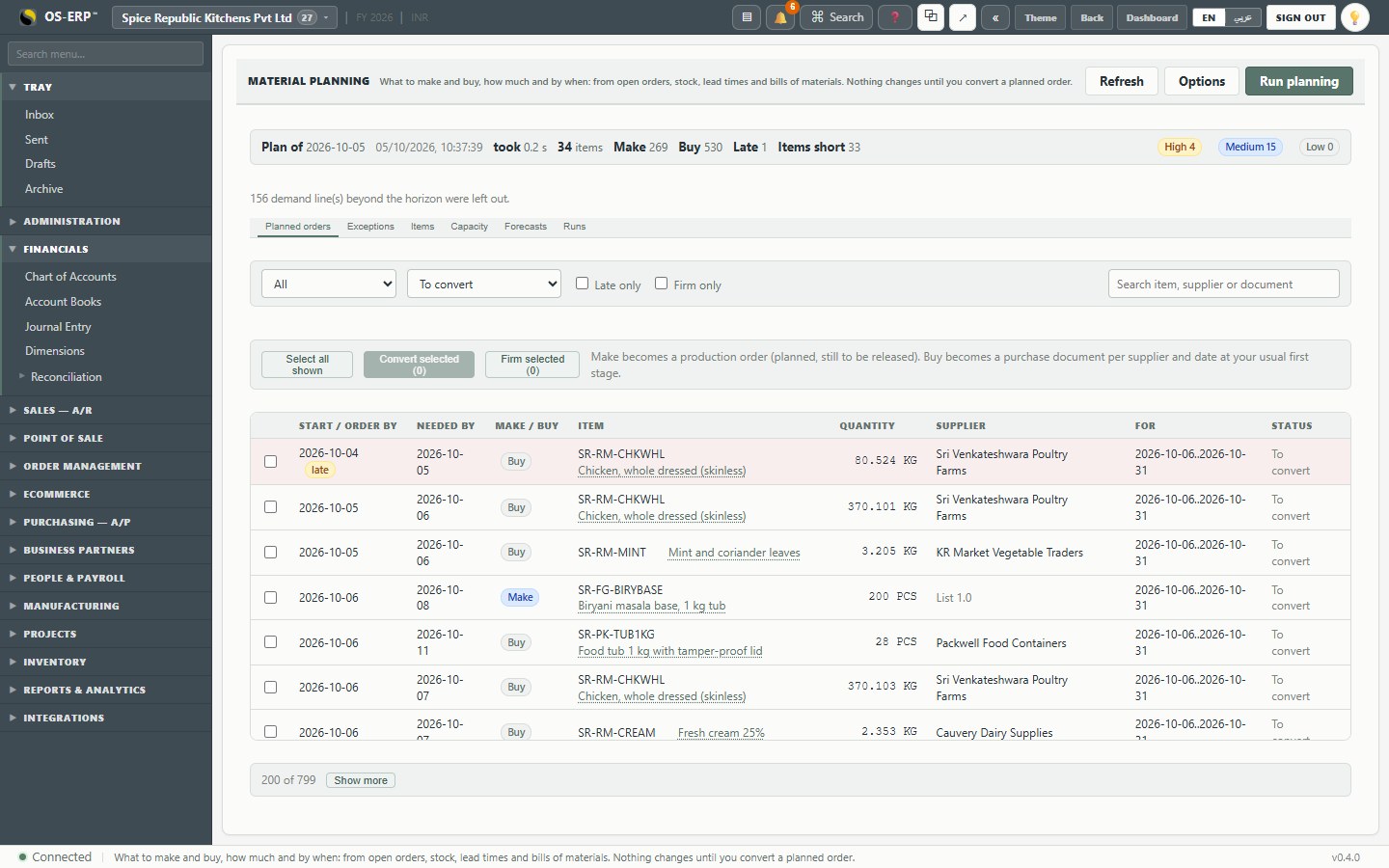
Run planning takes a fraction of a second for this company. The Planned orders tab lists the result:
| Column | Meaning |
|---|---|
| Start / order by | When to start cooking, or when to place the purchase order (lead time back from the need) |
| Needed by | When it must be in stock |
| Make / Buy | Make becomes a production order, buy becomes a purchase order |
| Quantity | Rounded up to what the unit can hold: whole tubs, kilograms to the gram |
| Supplier / List | The supplier for a buy; the recipe version for a make |
| For | What the order is for: a forecast period, a sales order, or a parent item's order |
The top line summarises the run: items planned, how many make and buy suggestions, how many are late (should have started already), and exceptions by priority.
Notice how the levels chain. Outlets need chicken tikka pouches on the 7th; the pouches need boneless chicken on the 6th; deboning needs whole chicken from the farm on the 5th, which, with the farm's one-day lead time, must be ordered by the 4th. If that date has passed, the line is marked late and goes to the top.
3.4 One item's plan
Click any item to see its plan as a running balance: stock, every demand and supply by date, and the projected balance after each.
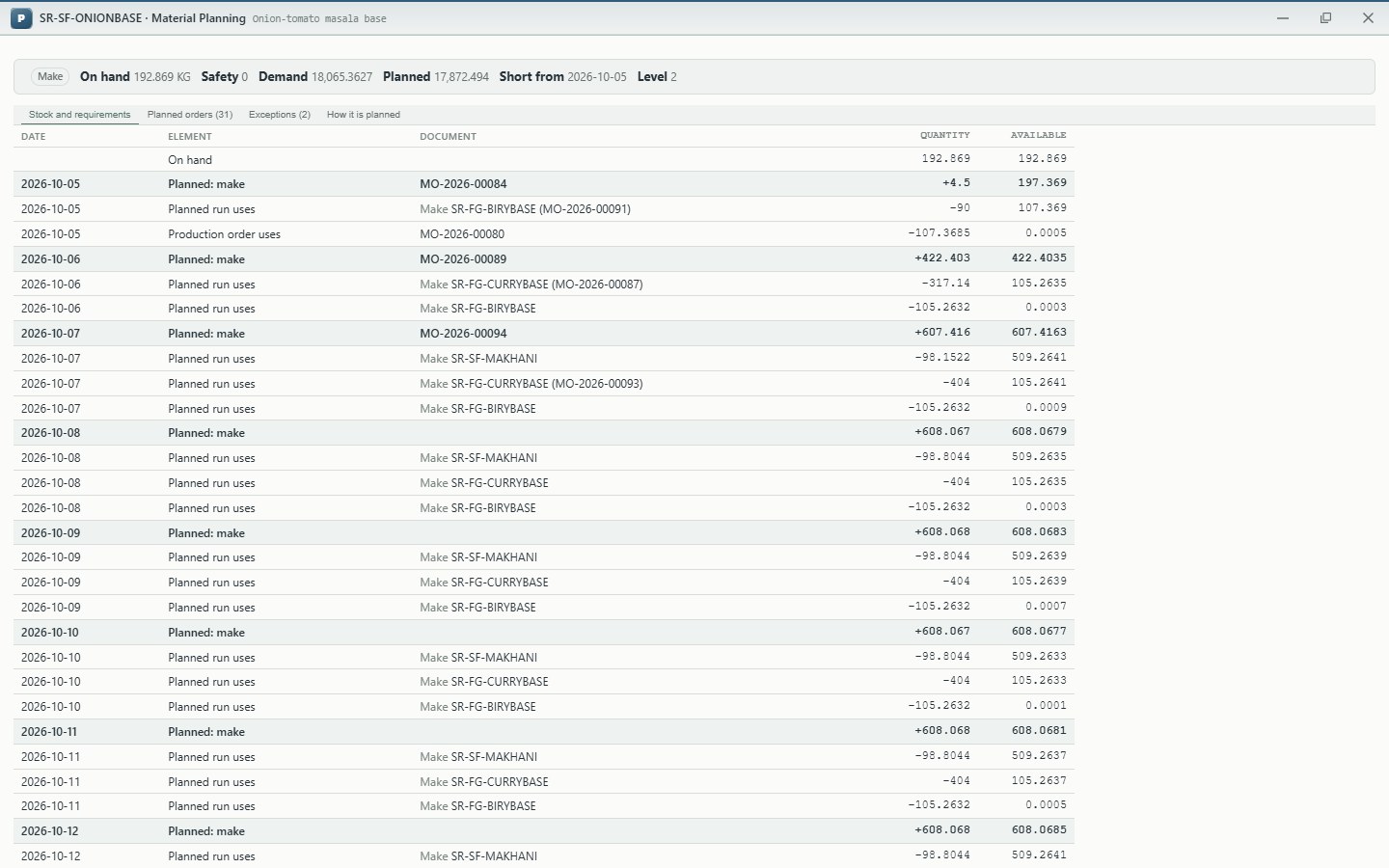
This is where a planner answers "why does the plan want 600 kg of onion base on Thursday?": the timeline shows which packs need it, and every line drills to the order behind it.
3.5 Exceptions
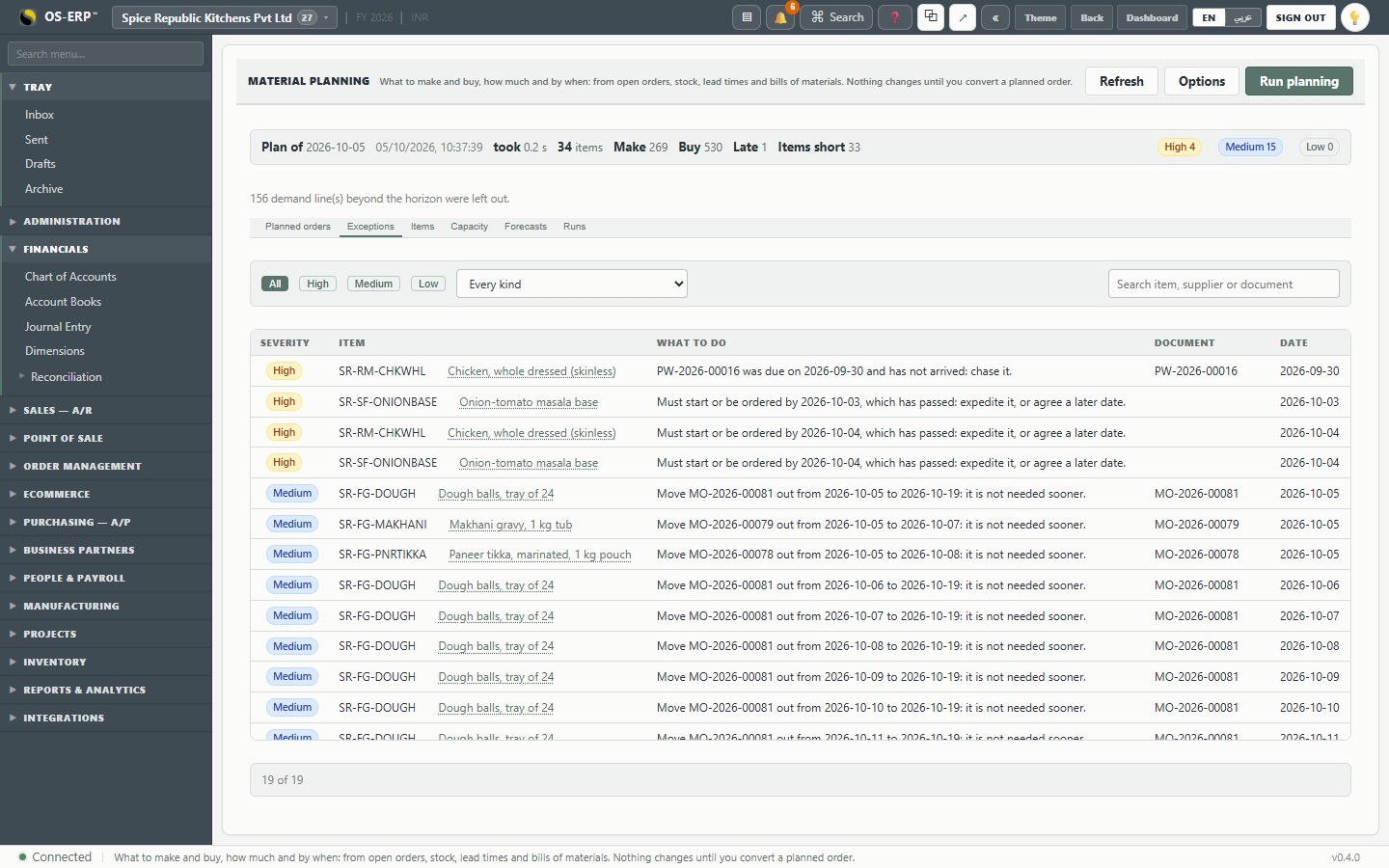
Exceptions lists what needs a decision, not just more orders: an order that should start today but hasn't, a receipt that should be pulled in, an order that is no longer needed and should be cancelled, an item with no lead time set.
3.6 Capacity: can the stations cook it?
Capacity shows the load on each work centre per week, against the hours it has:
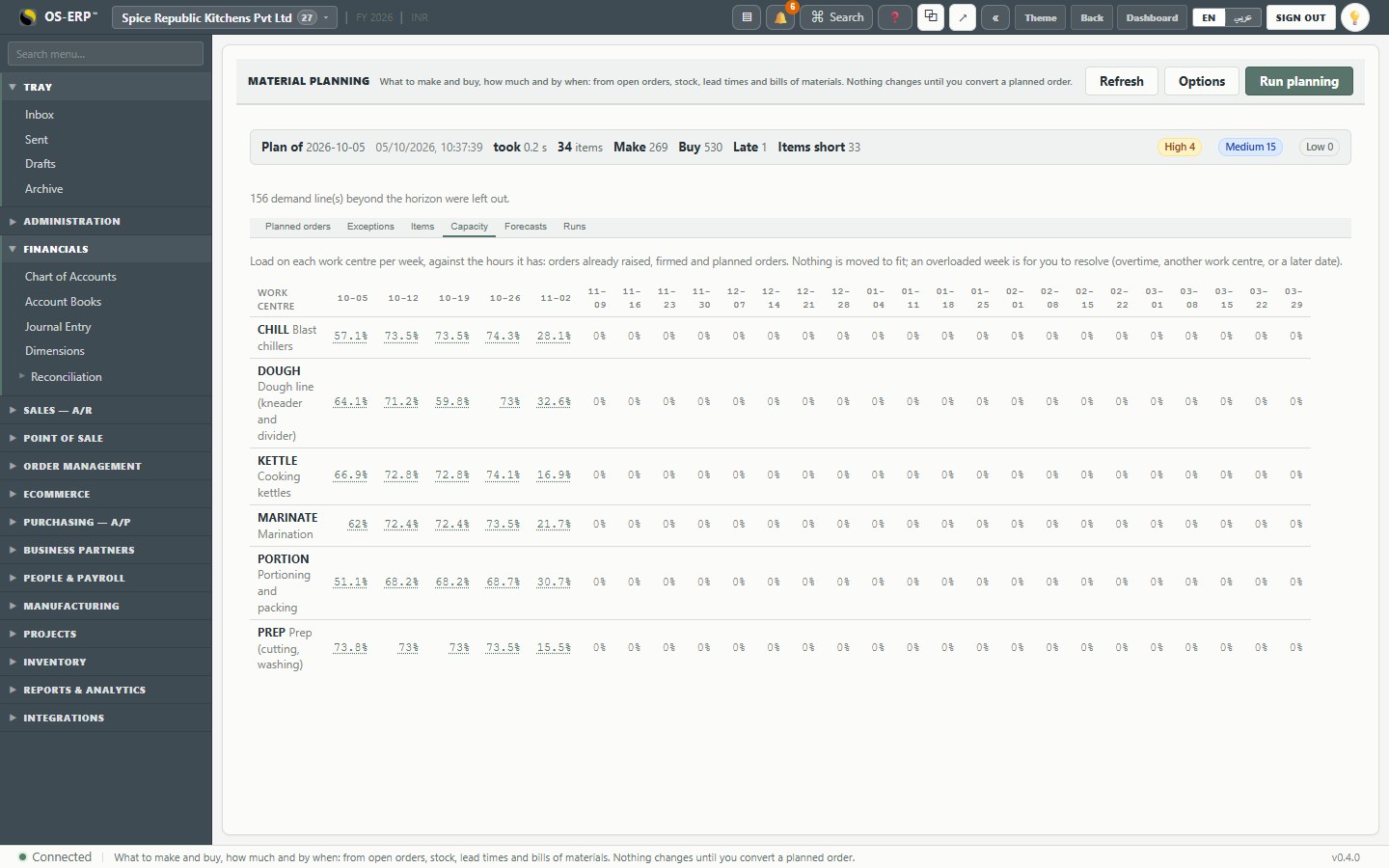
Planned orders and orders already raised are both counted. A week over 100% is shown in red: the planner resolves it with overtime, another station, or a later date. Nothing is moved automatically, because only a person knows whether the prep room can work a double shift on Saturday.
3.7 Converting, and the scheduling board
Kavya ticks tomorrow's make lines and presses Convert selected: each becomes a production order in status Planned. Buy lines become purchase orders, one per supplier and date, at the company's usual first purchasing stage.
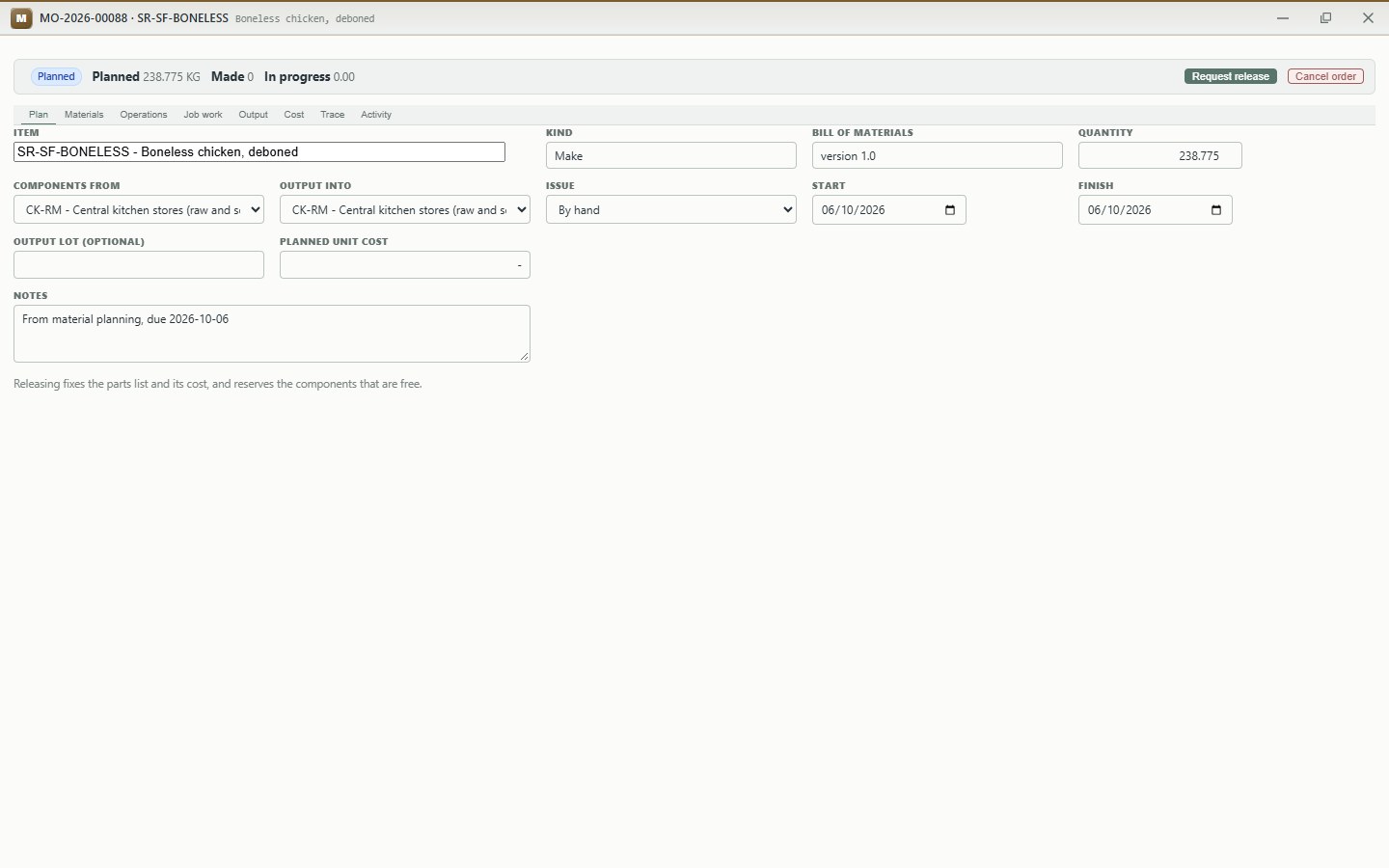
The order carries what planning decided: the item and recipe version, the quantity (238.775 kg of boneless chicken, to the gram), the stores, how it is issued (deboning: by hand), the dates, and a note saying which planned order it came from. It has no planned cost yet: that is fixed when it is released. Request release sends it to the production manager if the company's approval policy asks for it; otherwise it releases at once.
Manufacturing > Scheduling Board then fits every open production order into the hours the stations really have, work already on the floor first:
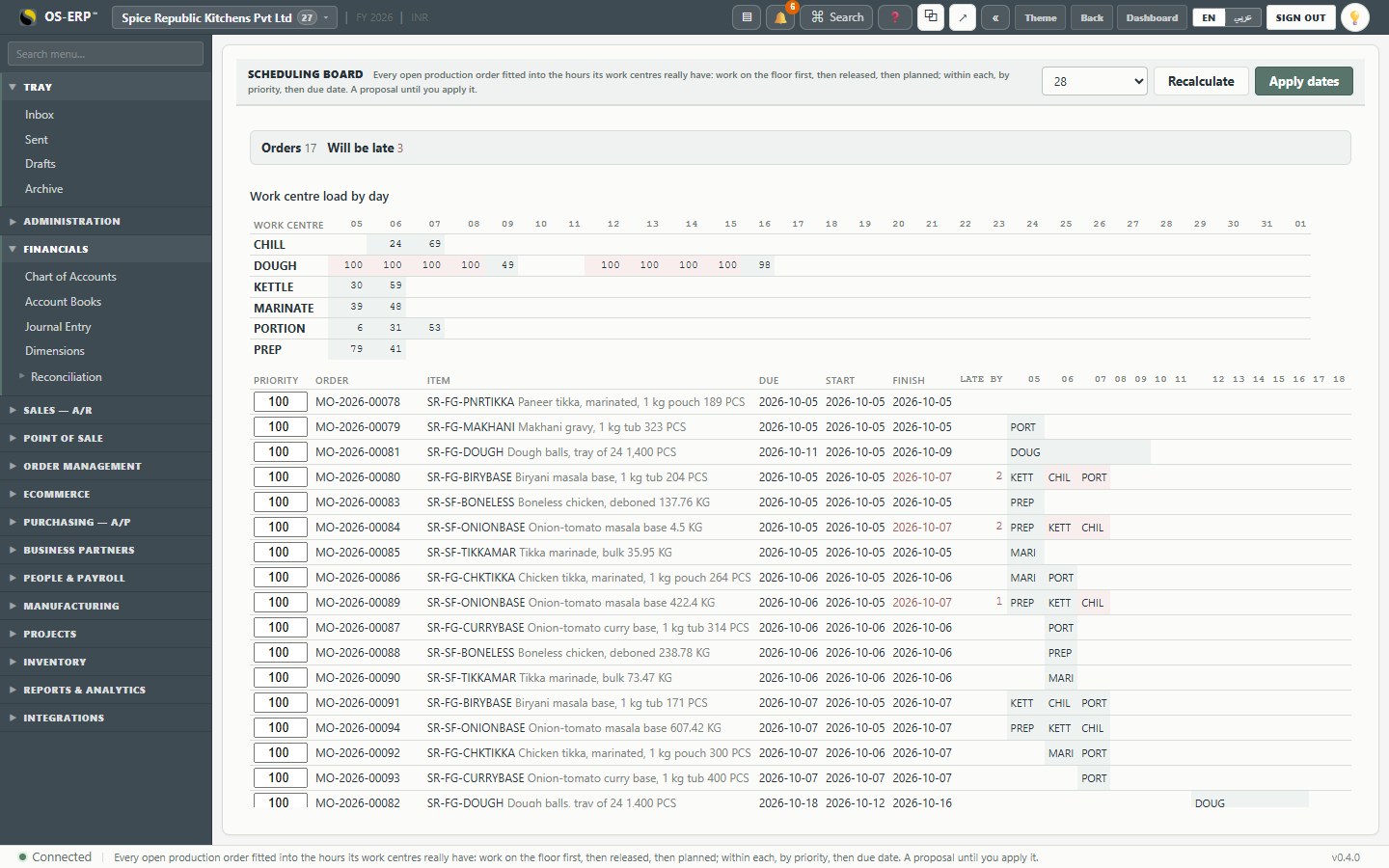
- The top strip is each station's load by day.
- Each order shows its start, finish, and the steps on each day.
- Will be late counts orders that cannot finish by their due date with the hours available; their finish date is shown in red with the days late.
- Priority can be changed per order; Apply dates writes the proposed dates onto the orders. Until then it is a proposal.